AI Features
Bring your own OpenRouter API key
Unlock AI features yourself with a free OpenRouter key, if your account or team hasn’t been activated by an admin.
Open AI personalisation settings
Go to Settings → AI personalisation. A banner at the top tells you whether AI is already activated on your account — if it is, you’re all set and don’t need a key of your own.
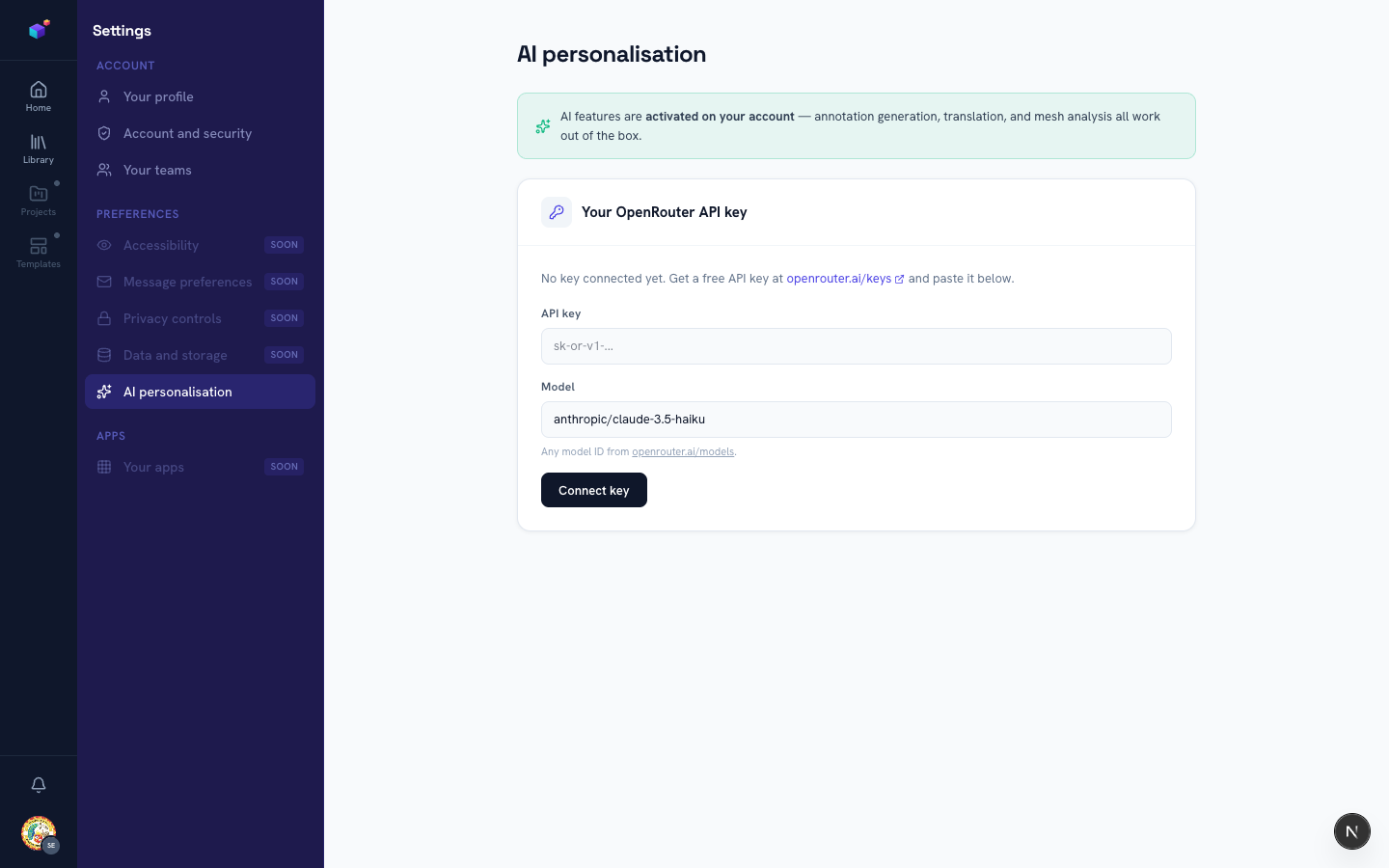
Get a free API key
Click the "openrouter.ai/keys" link to create a free OpenRouter account and generate an API key. OpenRouter gives access to a wide range of AI models, several with free usage tiers.
Connect your key
Paste the key into the "API key" field. Optionally set a specific model in the "Model" field (defaults to anthropic/claude-3.5-haiku) — any model ID from openrouter.ai/models works. Click "Connect key" to save. Your key is encrypted before it’s stored, and only the last 4 characters are ever shown back to you.
Use AI features as normal
From here on, annotation generation, translation, and mesh analysis all use your connected key automatically whenever platform AI isn’t activated for your account. You can replace or remove the key at any time from the same page.